

July 17, 2025

Set Up & Break Down the Extreme Environment SpeedFusion Case
August 8, 2021
Installing Windows Server Using Peplink KVM
November 18, 2022Set Up & Break Down the Extreme Environment SpeedFusion Case
August 8, 2021Installing Windows Server Using Peplink KVM
November 18, 2022InControl 2: Add/Remove Groups
Peter from West Networks walks through adding and removing groups in InControl 2!
ADDING GROUP: 0:17
While in your Root Organization view, follow these steps:
- Top menu, select "Organization settings" then Click "Create Group".
- Name your Group (add description or other information about the group).
- Click "Create Group" at the bottom.
- Add your devices (if you would like). 5. Click "Next".
- Give the device a name.
- Click "Confirm".
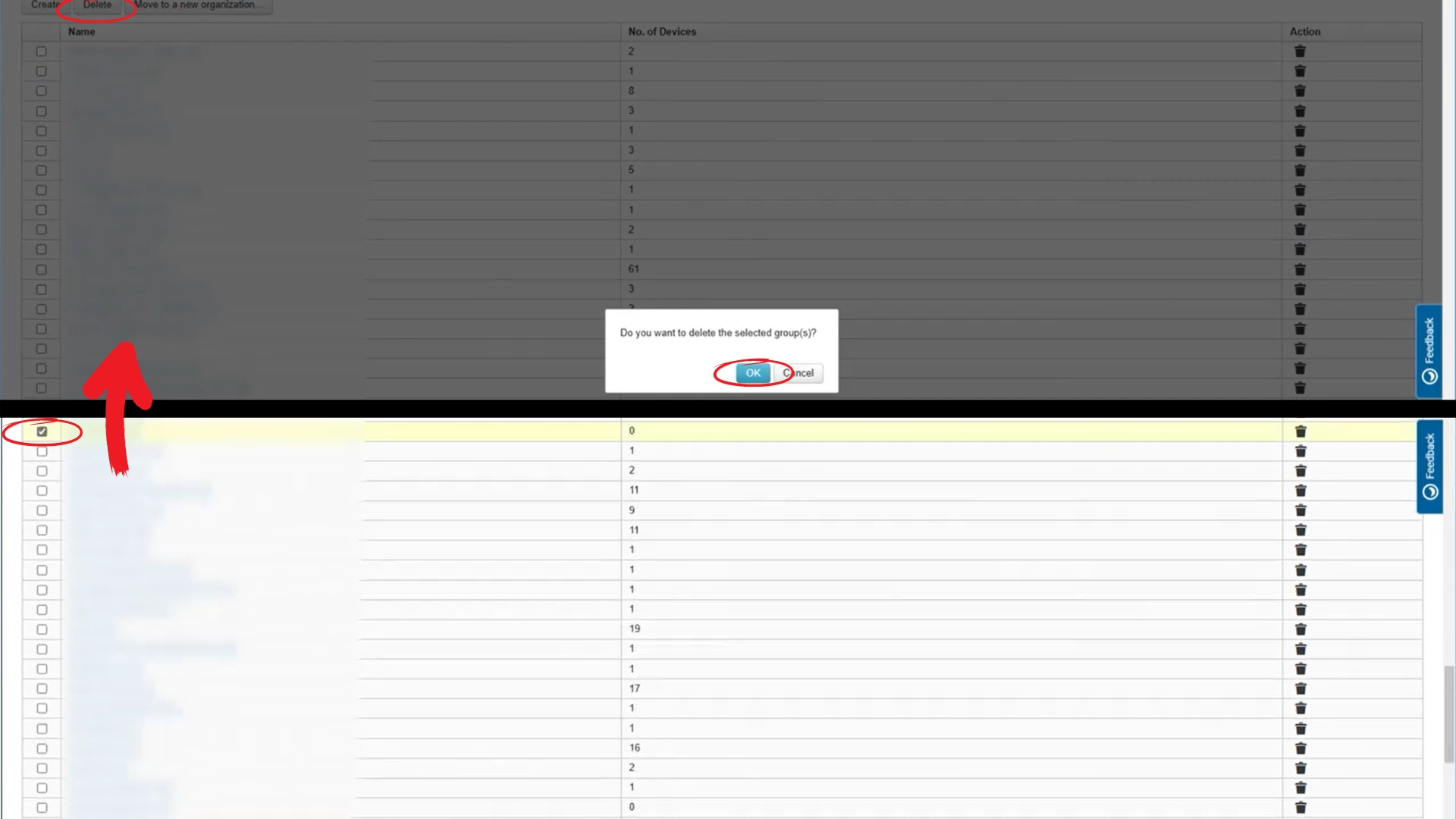
REMOVING GROUP: 1:21
Go back to your Root Organization view. This should show a list of all groups.
- At the bottom of the list, click "Manage...".
- Find the group and select it with the "check box" to its left.
- Click "Delete" at the top of the list.
- Click "OK"
June 20, 2025
Discover how Dartech transformed a community bank's network infrastructure using Peplink's ecosystem, achieving enhanced security, seamless scalability, and significant cost savings. This blog post dives into their journey from a single upgrade to a robust, secure network solution, as shared in a recent Peplink University webinar.
May 29, 2025


Welcome to Peplink University! In this video, we present the Peplink PCI DSS 4 Hardening Guide, developed in collaboration with West Networks. This guide updates our previous PCI DSS 3 guide to PCI DSS 4, demonstrating how to set up and control zero touch deployments.