Peplink AP Pro AC Setup
March 9, 2021
Peplink MBX Overview
March 25, 2021Enable Forward Error Control in a SpeedFusion Tunnel!
Enable Forward Error Correction in a SpeedFusion Tunnel! Peter from West Networks quickly walks through InControl2 to enable FEC.
Enabling FEC:
- Using InControl, go to PepVPN/SpeedFusion in the menu and click Configuration.
- Then, if you already have your SpeedFusion Tunnel, click edit.

- Click Next and click Next again, and you should be on the 'Profile Options' page
- Click "Show Advanced Settings" in the bottom left corner.
If you want to enable Foward Error Correction on ALL of your Tunnels:
- Go to "Foward Error Correction" on the 'Profile Options' page and select your setting there. Peter selects 'Low'

If you want to enable Foward Error Correction in a specific Tunnel:
-
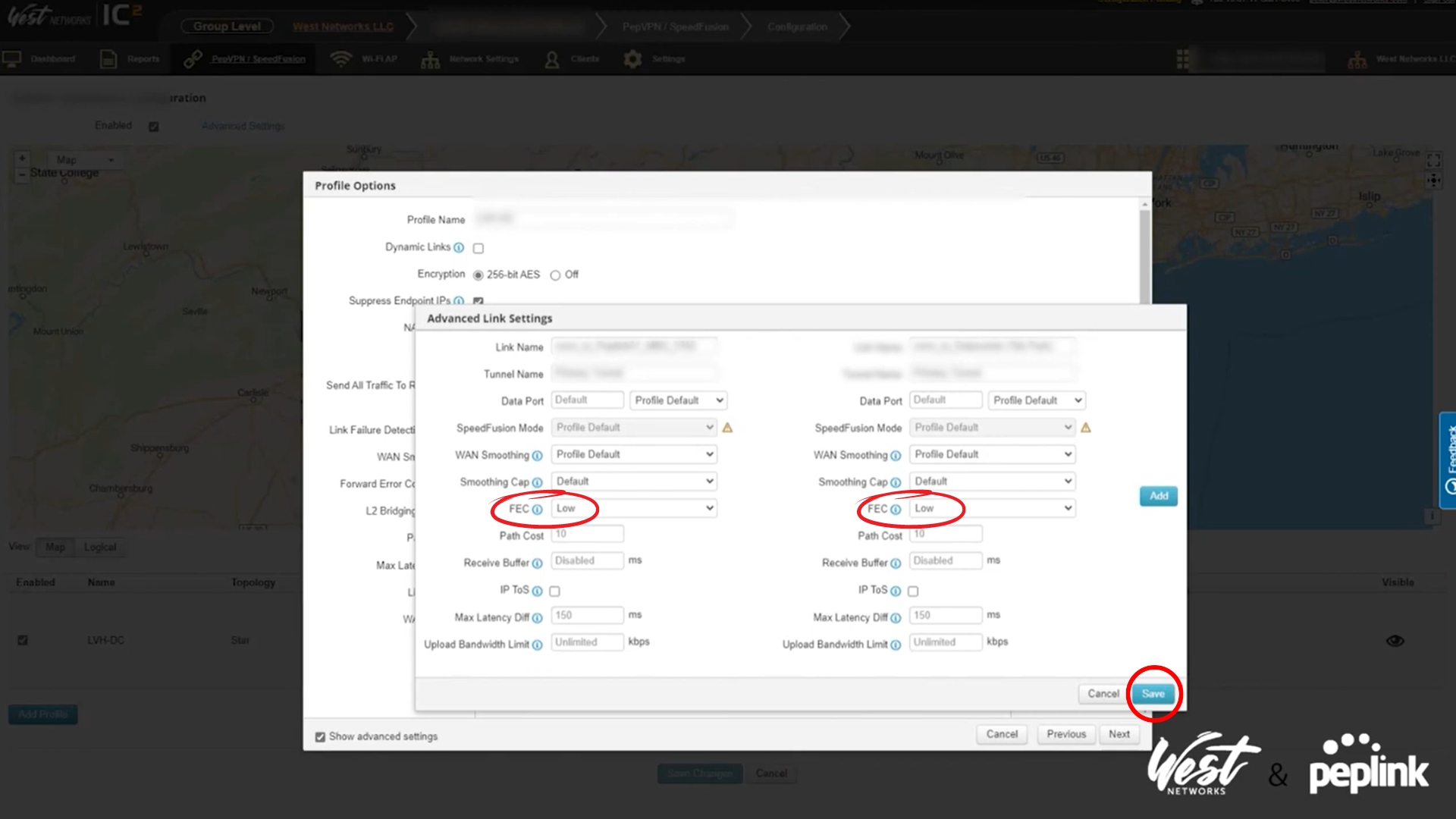
In the 'Profile Options' page, with advanced settings on, go to 'Link Settings' and click on "Advanced Link Settings"
-
Then, type in the router that you would like to edit and click 'Edit' on the specific one.
-
Then, on the right-hand and left-hand side you will see the FEC option, and you can choose your setting there. Peter selects 'Low'
-
Hit save, then hit save again. Once back on the 'Profile Options' page, click Next and then Finish.