Tutorial | Setting up a Balance20X
March 4, 2021Enable Forward Error Control in a SpeedFusion Tunnel!
March 17, 2021
Peplink AP Pro AC Setup
Setup an AP Pro AC! Peter from West networks gives a product overview of the Peplink AP Pro AC IP67 3x3MIMO.
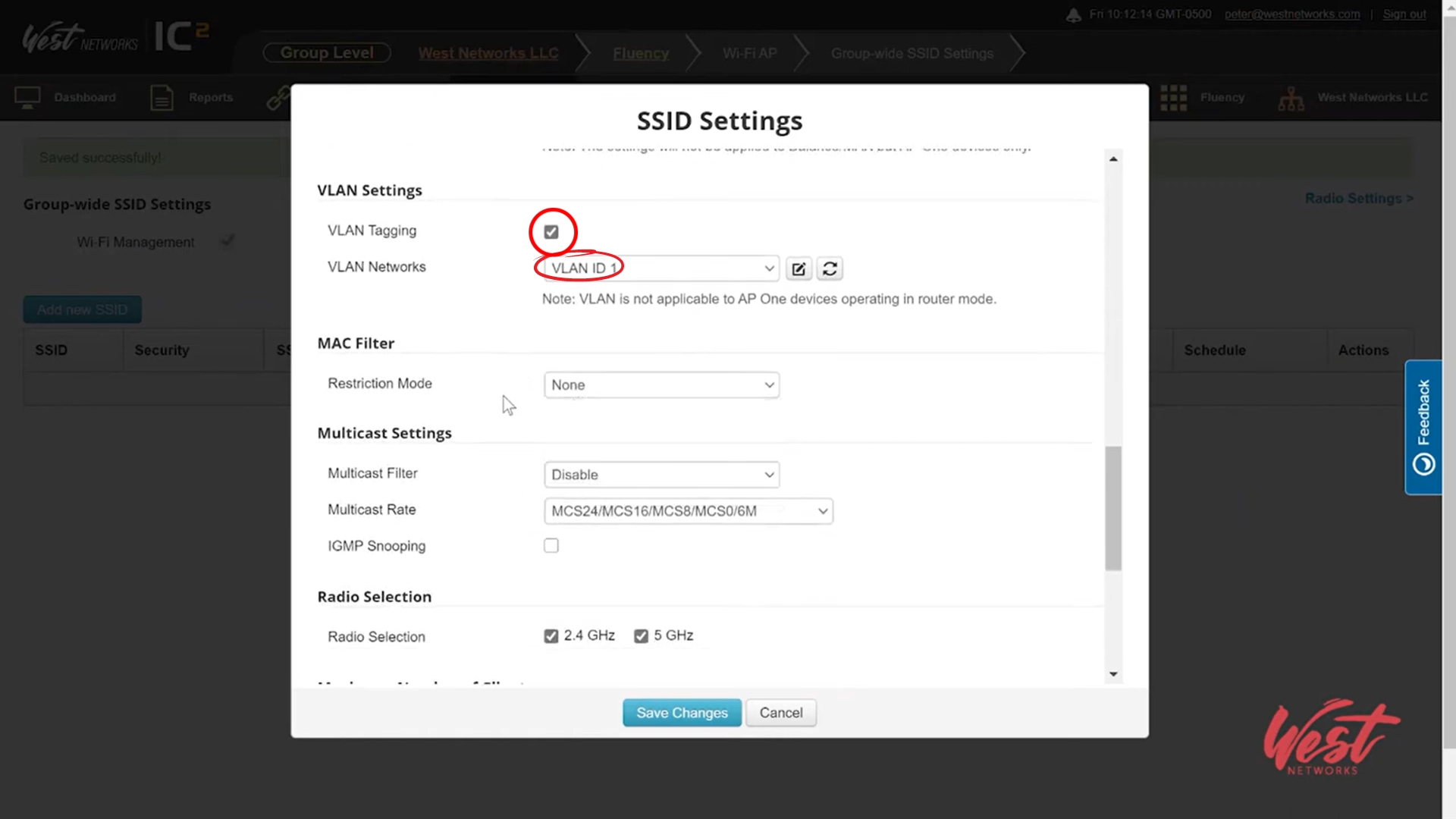
Adding Device to InControl:
- In the menu, go to settings and click Add Device
- Enter the serial number and click next
- Here you are able to give it a name if wanted. Click Confirm and go back to dashboard
Programming AP:
-
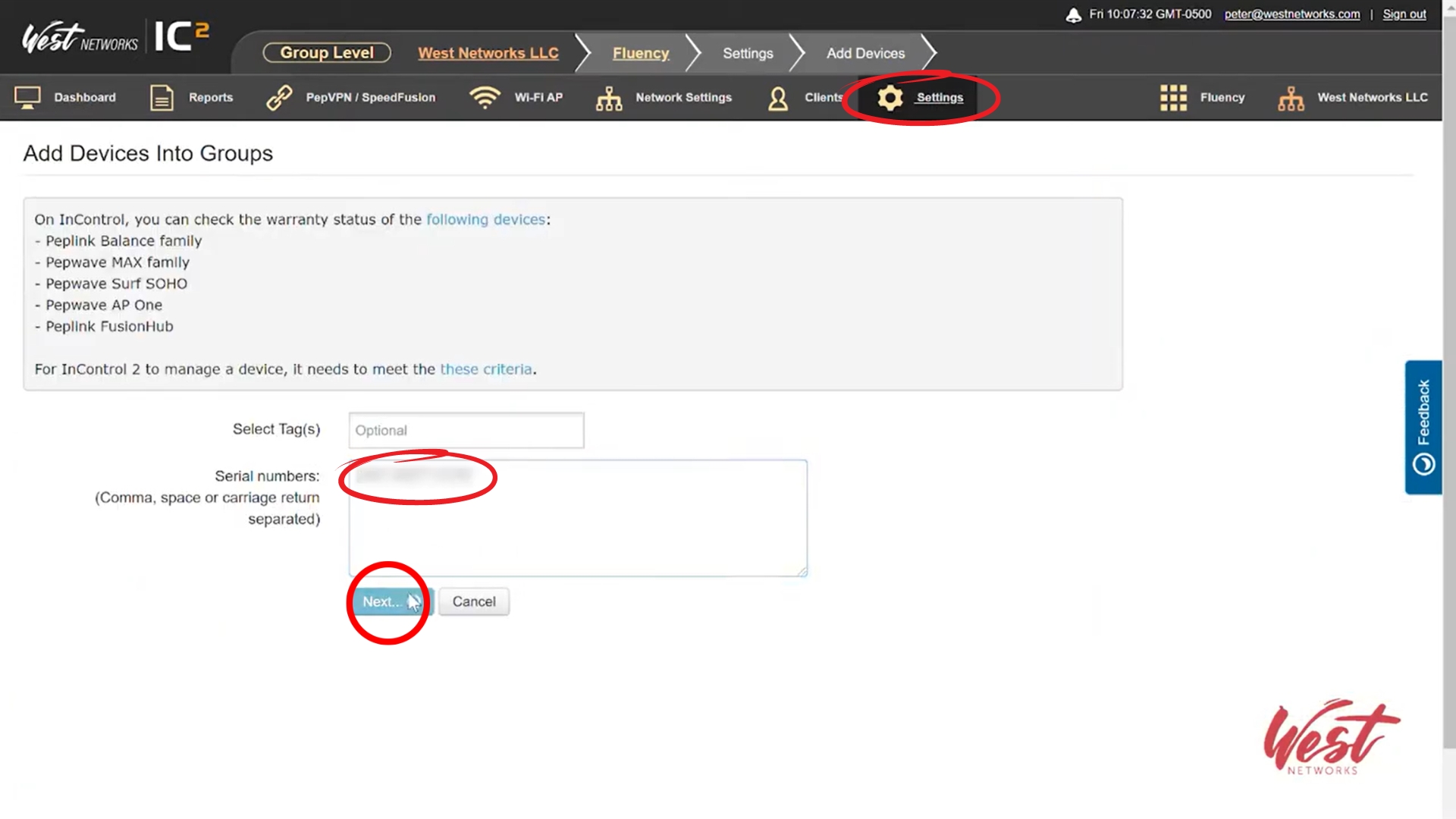
Go to Wi-Fi AP in the menu and click on 'Group Wide SSID Settings'
-
Enable Wi-Fi Management by clicking the checkbox. Hit 'Save Changes'
-
Click 'Add new SSID'. Peter names the SSID "AP Pro AC"
-
Then, in Device Selection, he chooses "This SSID is enabled on some devices..." and assigns the tag to "MobileHealthClinic1"
-
For the Security Policy, he chooses "WPA2/WPA3 - Personal", then chooses a password in the "Shared Key" option
-
Scroll down
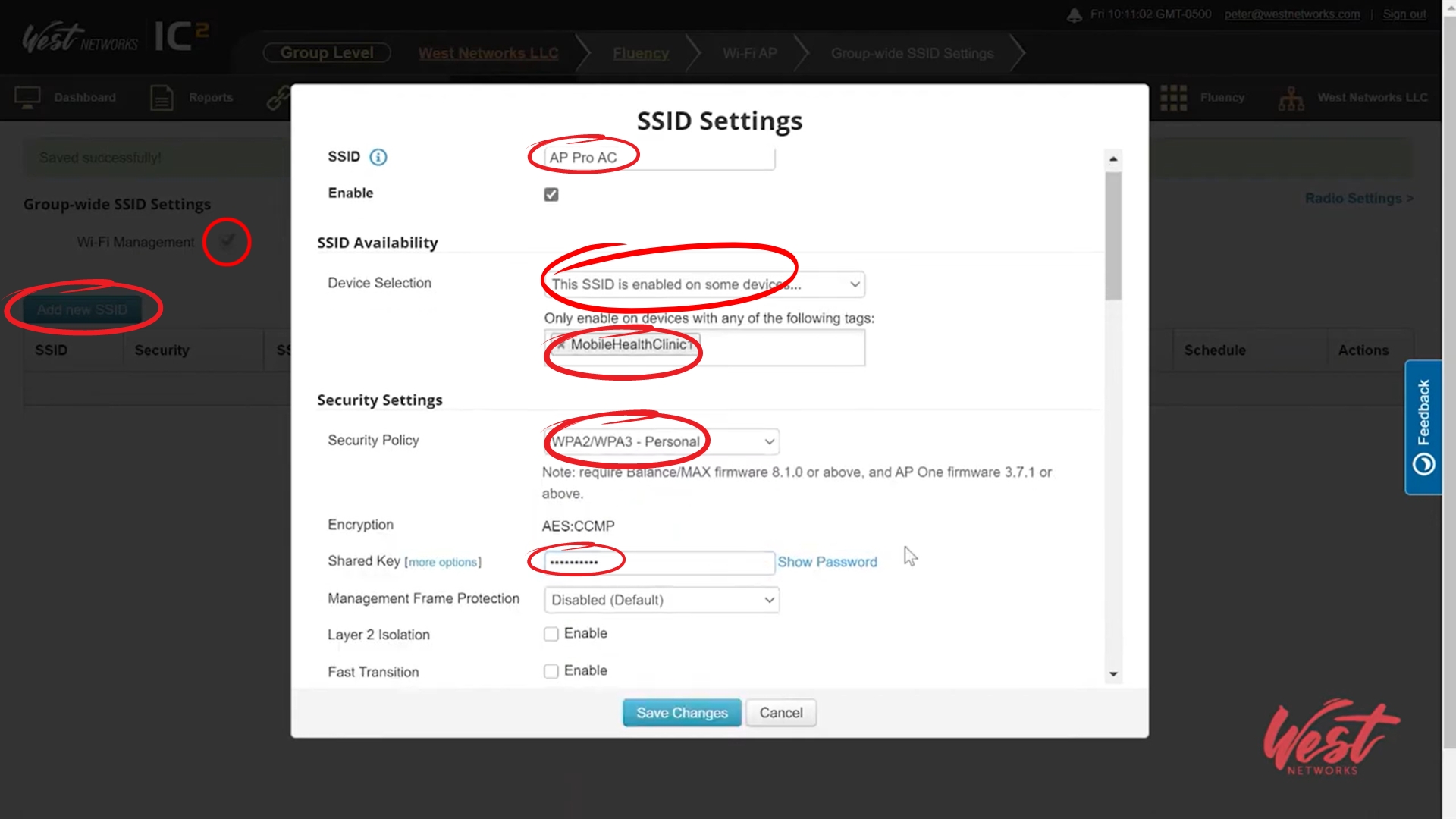
- He then enables VLAN Tagging by clicking the checkbox, and chooses VLAN ID 1 for VLAN Networks
-
Choose any other of your desired settings and click 'Save Changes'
-
Go back to dashboard